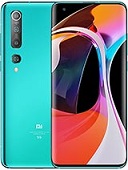
Download Mi 10 5G (umi) V12.0.1.0.QJBRUXM
Product Code: umi • Region: Russian • Channel: Stable
| Product Code: | umi |
| Region: | Russian (ru) |
| Version: | V12.0.1.0.QJBRUXM |
| Android Version: | 10 |
| Type: | Recovery |
| Release Channel: | Stable |
| Release Date: | 2020-09-04 |
| File Size: | 2.7 GB |
| File Name: | miui_UMIRUGlobal_V12.0.1.0.QJBRUXM_214ab5f95f_10.0.zip |
| MD5: | 214ab5f95f9568fae2f4632df97089c0 |
Download Mirrors
Changelog
Highlights MIUI 12. Yours alone. New: All-new physically based animation engine with advanced architecture will refresh your device's look. New: Dynamic window technology takes switching screen orientation to a new level. Brand new visual design works for all types of content and languages. Magazine-level layouts bring important things into the spotlight and make content structure clear. New: Super wallpapers break physical boundaries and keep inspiring you with every touch. New: MIUI 12 is the first Android-based mobile OS that went through the rigorous enhanced privacy protection testing. New: Use secure sharing to control what additional data is sent along with shared items. New: Pull down a notification sent by a messenger app to turn it into a floating window. New: Floating windows keep apps running in the foreground even when you pause to do other things. New: You can minimize a floating window using a full screen gesture. Optimization: Press and hold an app preview in Recents to choose between Split screen and floating windows. New: Swipe down from the upper right corner of your screen to open Control center. New: Animated icons are a joy to look at! New: Dark mode support is also provided for third party apps now. New: Contrast is lowered automatically in low light conditions to protect your eyes. New: Wallpapers can be displayed in darker palette when your device switches to Dark mode. New: You can hide private items while casting and minimize the window to multitask. New: App drawer allows you to keep your Home screen neat and categorizes apps so you can find them faster. New: New animations bring the weather from outside directly to your screen. New: Lite mode simplifies your device and brings essential features up front. New: You can create folders with notes now. New: New dynamic backgrounds look gorgeous! New: Tasks are completed with a satisfying animation now. New: Checklists of subtasks make managing your agenda much simpler. New: New animations feel natural and refreshing. New: Binging your favorite shows will be more convenient with our new video toolbox.